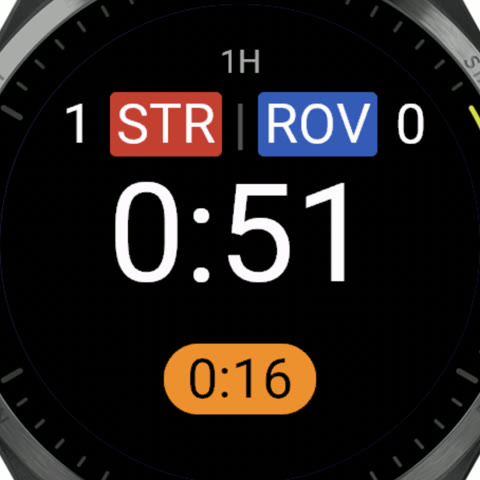
Your match screen, your way
Build what the watch shows while a period runs, a step at a time, on the website or either phone:
- One clock or two, stacked or side by side.
- How each counts: Match time (0 to 90, like TV), each half from 0, or time left (45 down to 0).
- A ring that fills as the period runs, or the time of day at the bottom.
- Team names or just the score, with a bigger clock.
Pictures of the screen follow along: pick a moment of a match, or play one through from kickoff to full time.
Set up on the website, Android and iPhone; on Garmin, Wear OS and Apple Watch
Goals and cards
A goal or a card takes a few taps, with the player's number and the time it happened. A second yellow for the same number becomes a red by itself. Turn on goal types (penalty, direct free kick, own goal) when you report them, or turn off scorers for a goal in one tap. Anything recorded by mistake can be undone.
Cards can be shown before kickoff, at half-time and after full time too, and a match that can't finish can be abandoned with its reason, keeping the score.
Kickoff, the toss and the ends
Coin toss on the watch for a forgotten coin, before kickoff, extra time and penalties. Kickoff direction: face the goal the kickoff team attacks and save it, and at each later kickoff an arrow turns with you to point the way that team attacks. Extra time has its own toss, so you pick its kickoff team and save its direction again.
Kickoff direction on watches with a compass
Extra time, penalties and golden goal
When the last period ends level, the watch offers extra time or penalties, and End match when there's a winner. Extra time is its own periods with the same clocks. In a shoot-out, tap Scored or Missed for each kick; the watch keeps the tally and calls the winner, sudden death included. Golden goal ends extra time on the first goal, with Undo in case it's disallowed.
Your matches, synced
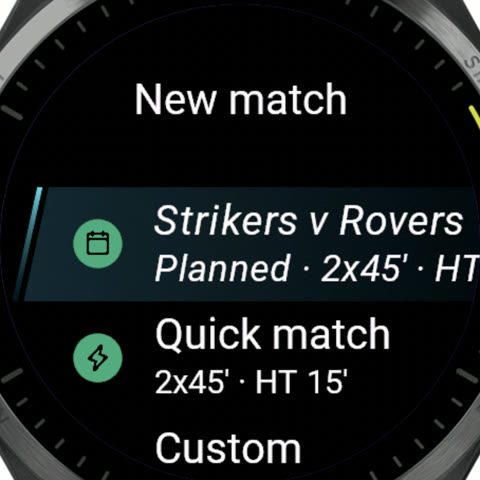
Link the watch to your account and your next matches are on it, with the teams, their colors, the format and the forecast, ready to start. At full time the match goes up to your account with its events, your track and the distance you ran. Mark a fee paid from the watch, even without a connection. A quick match works without an account at all.
Which watches
Garmin, in testing, on its way to the Connect IQ Store:
- Forerunner 265, 265S and 965
- fēnix 7, 7S and 7X, and their Pro editions
- fēnix 8 (43 and 47 mm, Pro and Solar)
- epix (Gen 2) and epix Pro
- Venu 2, 2S and 2 Plus
- Venu 3, 3S, Venu 4 and Venu X1
Garmin watches also record your GPS track and heart rate, and mark the pitch's corners. Wear OS and Apple Watch are in early testing, syncing over the watch's own connection; tracks come to them later.